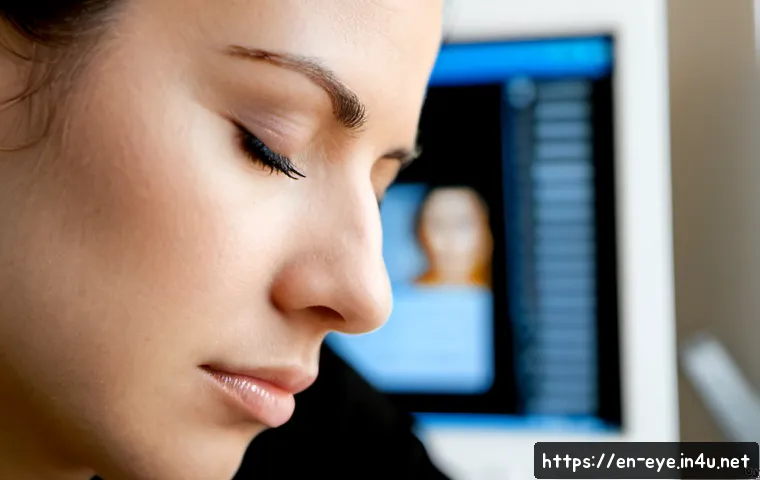
Spending long hours in front of screens can leave your eyes feeling tired, dry, and strained. Whether you’re working from home, gaming, or scrolling through social media, eye fatigue is a common challenge many of us face daily.

The good news is, there are simple yet effective ways to relieve this discomfort and protect your vision. From adjusting your environment to practicing mindful breaks, small changes can make a huge difference.
If you’ve been struggling with eye strain lately, it’s time to explore practical solutions that really work. Let’s dive in and uncover the best tips to soothe your tired eyes!
Optimizing Your Workspace for Eye Comfort
Lighting That Supports Your Eyes
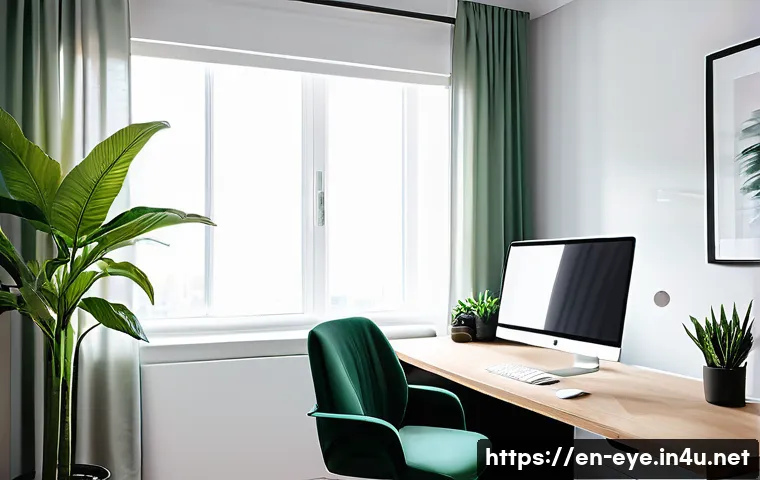
Creating a workspace with the right lighting is more important than most people realize. Harsh overhead lighting or glare from windows can cause your eyes to work overtime, leading to fatigue.
I found that positioning my desk near a window with indirect natural light made a noticeable difference. If natural light isn’t an option, using adjustable desk lamps with soft white bulbs helps reduce harsh contrasts.
Avoiding direct light hitting your screen or your eyes prevents unnecessary strain. Dimming the brightness of your monitor to match the surrounding light level also eases eye tension.
It’s all about balancing illumination so your eyes aren’t constantly adjusting between bright and dark zones.
Screen Settings to Reduce Eye Strain
Tweaking your screen’s settings can make a huge impact on how tired your eyes feel after hours of use. I personally use blue light filters, especially in the evening, which seem to calm my eyes and improve sleep quality.
Many devices now come with built-in “night mode” or “comfort view” options that reduce blue light emission. Adjusting the contrast and text size to comfortable levels means your eyes don’t have to squint or strain to read.
Don’t forget about screen refresh rates; higher refresh rates can create smoother visuals, which reduces flickering and strain. It may take some trial and error to find the perfect combination, but it’s worth the effort.
Ergonomics and Viewing Distance
The physical setup of your workstation dramatically affects eye comfort. Positioning your screen about an arm’s length away and slightly below eye level helps reduce strain.
When I adjusted my monitor height to be just below my line of sight, I noticed less dryness and tension. Sitting too close or too far forces your eyes to overcompensate, which tires them faster.
Also, maintaining good posture supports overall comfort and prevents neck or shoulder stiffness, which can indirectly affect your eye health. Investing in an adjustable monitor stand or ergonomic chair can pay off in long-term eye and body wellness.
Incorporating Eye-Friendly Breaks into Your Routine
The 20-20-20 Rule Explained
One simple technique that I swear by for combating eye fatigue is the 20-20-20 rule. Every 20 minutes, look away from your screen and focus on something 20 feet away for at least 20 seconds.
This practice helps relax the focusing muscles in your eyes and reduces dryness. At first, it felt a bit disruptive to my workflow, but after getting used to it, I found it refreshes my vision and even boosts my productivity.
Setting reminders or using apps can help make this a habit. It’s a small effort with big rewards for your eye health.
Mindful Blinking to Combat Dryness
When staring at screens, we tend to blink less, which dries out our eyes and worsens discomfort. I learned that consciously reminding myself to blink more often keeps my eyes moist and comfortable.
Some people find it helpful to practice slow, deliberate blinking every few minutes. This simple action replenishes the tear film on the eye’s surface and prevents irritation.
Over time, it becomes second nature and significantly reduces that gritty, tired feeling after long hours in front of a screen.
Stretching and Relaxation Techniques
Taking breaks to stretch and relax your body can indirectly ease eye strain. I like to stand up, roll my shoulders, and gently massage around my temples and the bridge of my nose.
These areas often hold tension after prolonged screen use. Deep breathing during these moments also relaxes your entire body and reduces stress, which helps prevent eye strain from worsening.
Incorporating a few minutes of these simple exercises every hour can transform how your eyes and body feel by the end of the day.
Hydration and Nutrition for Eye Health
Drinking Enough Water Throughout the Day
Proper hydration plays a crucial role in maintaining healthy eyes. I often overlook this when busy, but drinking water consistently prevents dryness and irritation.
Dehydration can exacerbate eye fatigue, so keeping a water bottle at your desk reminds you to sip regularly. Avoiding excessive caffeine or alcohol, which can dehydrate you, also helps.
I noticed that on days I’m well-hydrated, my eyes feel less gritty and recover faster from screen exposure.
Foods That Nourish Your Vision
Certain nutrients have a direct impact on eye health. Omega-3 fatty acids, found in fish like salmon and flaxseeds, help reduce inflammation and support tear production.
Vitamins A, C, and E are powerful antioxidants that protect eye tissues from damage caused by blue light and pollution. Leafy greens such as spinach and kale contain lutein and zeaxanthin, which act like natural sunglasses inside your eyes.
I started adding these foods regularly to my diet and noticed my eyes felt more resilient during long screen sessions.
Supplements and When to Consider Them
While a balanced diet is ideal, sometimes supplements can provide extra support. I experimented with eye vitamins containing lutein and zeaxanthin and felt a subtle improvement in eye comfort.
However, it’s important to consult with a healthcare professional before starting any supplement regimen. Supplements are not a quick fix but can complement healthy habits, especially if you have specific deficiencies or pre-existing eye conditions.
Effective Use of Eye Drops and Artificial Tears
Choosing the Right Eye Drops

Not all eye drops are created equal, and selecting the right type can make a big difference in relief. I found that preservative-free artificial tears are gentler and better for frequent use.
Some drops focus on lubricating dry eyes, while others target redness or allergies, so knowing your symptoms helps you pick the best option. Avoiding eye drops with vasoconstrictors is wise, as they can cause rebound redness and worsen discomfort over time.
How and When to Use Eye Drops Safely
Proper application of eye drops ensures maximum effectiveness. I learned to wash my hands first, tilt my head back slightly, and avoid touching the dropper to my eye or eyelid to prevent contamination.
Using eye drops before starting long screen sessions or whenever eyes feel dry works well for me. However, overusing drops can cause dependency, so it’s best to follow recommended guidelines and consult a professional if dryness persists.
Natural Alternatives to Eye Drops
In addition to drops, some natural remedies can soothe tired eyes. Warm compresses applied gently over closed eyelids stimulate oil glands and improve tear quality.
I sometimes use chamomile tea bags cooled and placed on my eyes for a calming effect. These simple, non-invasive methods can complement artificial tears and offer relief without chemicals.
Adjusting Digital Habits to Protect Your Vision
Limiting Screen Time Whenever Possible
Cutting back on unnecessary screen time is easier said than done, but even small reductions help. I started setting specific “no-screen” periods during my day, such as during meals or before bedtime.
This break not only rests my eyes but also improves my sleep quality. Using apps that track and limit screen usage can motivate you to be more mindful about how much time you spend in front of devices.
Using Blue Light Filters and Screen Protectors
Beyond adjusting settings, physical screen protectors that filter blue light offer extra protection. I installed one on my laptop and noticed less eye fatigue during long workdays.
These filters reduce the amount of harmful blue light reaching your eyes, which is linked to strain and disrupted circadian rhythms. Pairing filters with software night modes can provide comprehensive relief.
Prioritizing Quality Over Quantity in Device Use
Focusing on purposeful device use rather than mindless scrolling reduces eye strain and mental fatigue. I try to batch social media or entertainment time instead of sporadically checking throughout the day.
This habit helps me avoid constant eye engagement and gives my vision regular rest periods. When working, I close unnecessary tabs and notifications to minimize distractions and visual clutter, which can cause subtle eye stress.
Eye Exercises That Really Make a Difference
Simple Focus Shifting Exercises
One exercise I find particularly effective is shifting focus between near and far objects. Holding a pen or finger about 10 inches from your face and then looking at something across the room repeatedly trains your eye muscles to relax and refocus.
Doing this a few times every hour can reduce eye stiffness and improve flexibility. It feels like giving your eyes a mini workout, and the relief afterwards is refreshing.
Palming for Relaxation
Palming is a soothing technique where you cover your closed eyes with your palms, blocking out all light. I often do this for a minute or two during breaks to relieve visual tension and calm my mind.
The warmth from your hands feels comforting, and it’s a simple way to reset your eyes without any equipment. It’s particularly helpful after intense focus sessions or when feeling overwhelmed.
Eye Rolling and Blinking Drills
Slow, deliberate eye rolling and controlled blinking exercises stimulate tear production and relax eye muscles. I incorporate these drills into my breaks, and they’ve noticeably reduced my dryness and soreness.
Rolling your eyes gently in circles helps loosen up muscles that get tight from staring straight ahead. Adding blinking exercises prevents dryness and keeps your eyes lubricated naturally.
| Tip | Benefit | How to Implement |
|---|---|---|
| 20-20-20 Rule | Reduces focusing fatigue | Every 20 minutes, look at something 20 feet away for 20 seconds |
| Blue Light Filter | Minimizes eye strain and improves sleep | Activate night mode or use screen protectors |
| Proper Lighting | Prevents glare and harsh contrasts | Use indirect natural light or adjustable lamps |
| Ergonomic Setup | Reduces muscle tension and eye stress | Place screen at arm’s length, slightly below eye level |
| Hydration | Prevents dryness | Drink water regularly throughout the day |
| Eye Drops | Relieves dryness and irritation | Use preservative-free artificial tears as needed |
| Eye Exercises | Improves muscle flexibility and comfort | Practice focus shifting, palming, and eye rolling |
Wrapping Up
Taking care of your eyes in today’s digital world is essential for long-term comfort and health. By optimizing your workspace, practicing mindful habits, and nourishing your eyes both physically and visually, you can significantly reduce strain and fatigue. Remember, small adjustments and consistent routines make a big difference over time. Prioritizing eye comfort not only enhances productivity but also improves overall well-being.
Useful Tips to Keep in Mind
1. Regularly adjust your lighting to avoid glare and harsh contrasts that tire your eyes.
2. Follow the 20-20-20 rule to give your eyes frequent, necessary breaks from screen focus.
3. Stay hydrated throughout the day to prevent dryness and irritation.
4. Incorporate simple eye exercises like focus shifting and palming to maintain eye muscle flexibility.
5. Use blue light filters and ergonomic setups to protect your vision during extended device use.
Key Takeaways for Eye Comfort
Creating an eye-friendly environment involves balancing proper lighting, screen settings, and ergonomic positioning to reduce strain. Consistent breaks and hydration are vital to keeping eyes refreshed and healthy. Choosing appropriate eye care products, like preservative-free drops, and incorporating natural remedies can offer additional relief. Finally, moderating screen time and using protective tools such as blue light filters help maintain long-term eye wellness in our technology-driven lives.
Frequently Asked Questions (FAQ) 📖
Q: What are the most effective ways to reduce eye strain from prolonged screen time?
A: From my experience, the best ways to ease eye strain involve a mix of environmental adjustments and habits. First, make sure your workspace has proper lighting—avoid harsh overhead lights or glare on your screen.
Position your monitor about an arm’s length away and slightly below eye level to reduce strain. I also found the 20-20-20 rule incredibly helpful: every 20 minutes, look at something 20 feet away for at least 20 seconds.
This simple break relaxes your eye muscles and helps prevent dryness. Additionally, using artificial tears or eye drops can alleviate dryness, especially in air-conditioned rooms.
Taking these steps consistently made a noticeable difference in how my eyes felt after long work sessions.
Q: Can adjusting screen settings really help with eye fatigue?
A: Absolutely. I used to ignore screen settings until I realized how much they impact eye comfort. Lowering the brightness to match your room’s lighting reduces glare and prevents your eyes from working overtime.
Increasing text size and contrast also helps reduce squinting, which can cause headaches and strain. Many devices now offer “night mode” or “blue light filter” settings that reduce blue light exposure, which some studies suggest can interfere with sleep and contribute to eye discomfort.
I turned these features on during evening hours and noticed less eye irritation and better sleep quality. So yes, tweaking your screen settings is a simple yet effective way to protect your eyes.
Q: How important are regular breaks, and what’s the best way to take them?
A: Taking regular breaks is crucial—trust me, I learned this the hard way after experiencing persistent eye strain. The key is to be intentional about breaks rather than just pausing randomly.
Following the 20-20-20 rule is a great start, but I also recommend standing up, stretching, and moving around every hour. This not only helps your eyes but also improves overall circulation and reduces physical tension from sitting too long.
During breaks, avoid looking at other screens and instead focus on distant objects or simply close your eyes for a few moments. Making these breaks a routine part of your day significantly lowered my eye fatigue and made me feel more refreshed when I returned to work.